

How to Write a System Prompt: Steps, Example and Patterns

TL;DR: How to write a system prompt: say who the assistant is and what it must not do, give it the context and tools it has, state the task, then set the output format. Give each hard rule a reason, add a fallback, keep it short, and test it on real inputs before you rely on it.
Updated November 2026. The steps here don't depend on a model version.
A system prompt is the standing instruction a model reads before every message in a conversation. It's where you decide what your assistant does, how it sounds and where it stops. This guide covers how to write a system prompt from a blank page: the steps, a worked example you can adapt, where to put it in the API or a chat app, and the patterns the model vendors' own guides agree on. It's also the hub for qurtoo's other system prompt guides, listed near the end.
The guidance here comes from what the vendors publish. Anthropic publishes the system prompts it uses in the Claude apps, dated, going back to the Claude 3 models (Anthropic, System prompts release notes). OpenAI and Google publish prompting guides that describe the structure they want (OpenAI, Using GPT-5.5; Google, Prompt design strategies).
System prompt vs user prompt
The system prompt sets standing instructions for the whole conversation: role, rules, tone and format. The user prompt is the request for this turn. The vendors' APIs keep the two in separate places, and they give the system side more weight.
- Anthropic says that "setting a role in the system prompt focuses Claude's behavior and tone for your use case," and that "even a single sentence makes a difference" (Anthropic, Prompting best practices).
- OpenAI describes
developermessages as "instructions provided by the application developer, prioritized ahead of user messages," and says itsinstructionsparameter "will take priority over a prompt in theinputparameter" (OpenAI, Text generation). - Google calls them system instructions and says "you can guide the behavior of Gemini models with system instructions" (Google, Text generation).
That priority isn't automatic. OpenAI researchers argued that models often treat system prompts as "the same priority as text from untrusted users and third parties," and trained GPT-3.5 to follow an explicit "instruction hierarchy" instead (Wallace et al., 2024; our summary of the instruction hierarchy paper). The practical lesson: put lasting rules in the system prompt, and don't assume the model will always hold them against a determined user.

If you mostly type requests into a chat window rather than build assistants, the other half of the skill is the user prompt. Amelia Gagne covers it in how to write AI prompts that give you useful answers.
How to write a system prompt, step by step
Good system prompt design follows a four-block layout, then adds two more: a fallback and a test. Google's guide recommends separating the parts with clear delimiters, saying "XML-style tags (e.g., <context>, <task>) or Markdown headings are effective," and to "choose one format and use it consistently within a single prompt" (Google, Prompt design strategies).
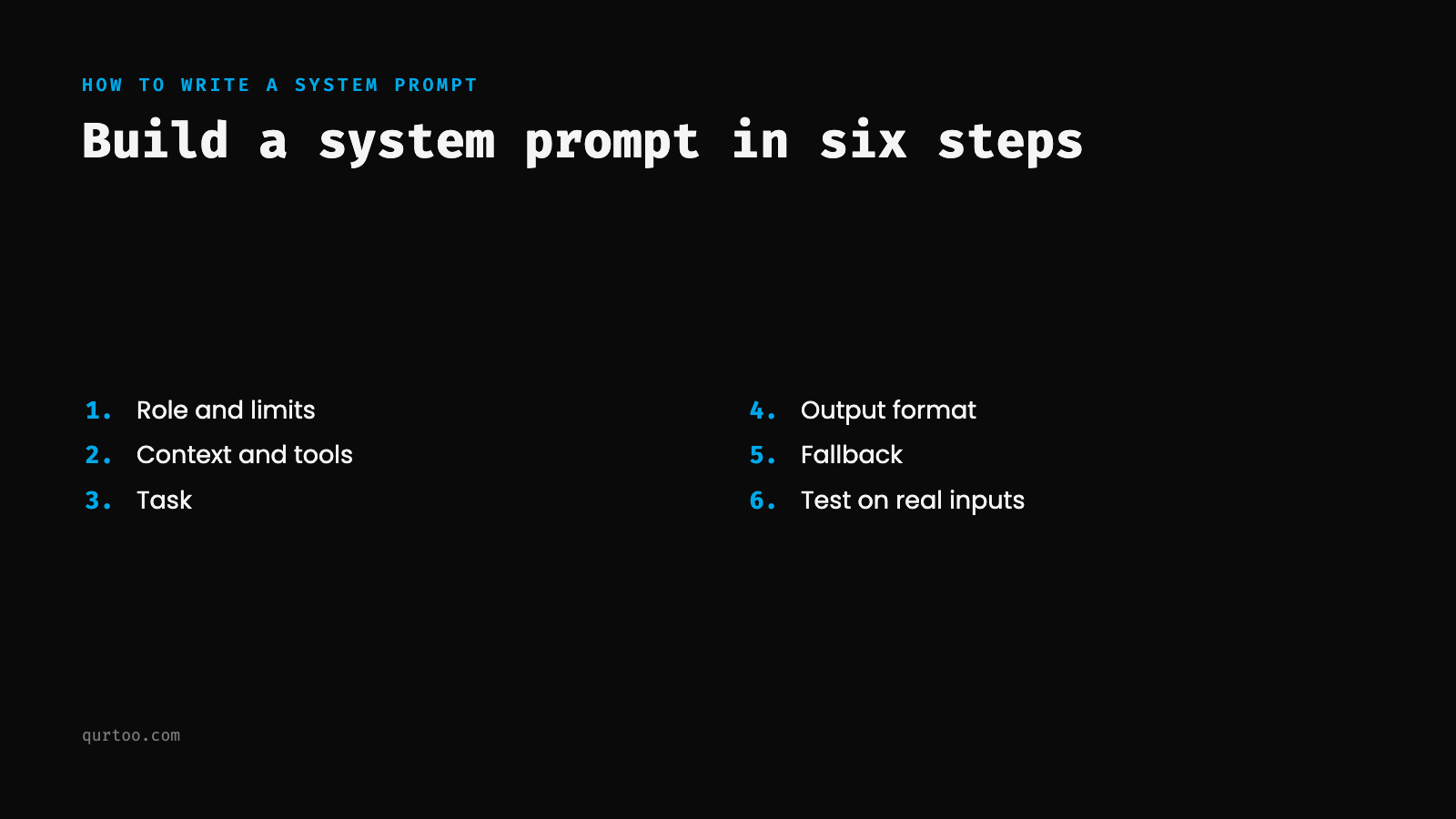
Step 1: Say who the assistant is and what it must not do
Start with the role, the audience and the hard limits. A role on its own ("You are a helpful assistant") does little. A role with its readers ("Your readers are business owners, not accountants") tells the model how to pitch every answer.
Give each limit a reason. Anthropic's guide compares a bare "NEVER use ellipses" with a version that explains the response "will be read aloud by a text-to-speech engine," and says context like this "can give Claude more information about your goals and help it deliver more targeted responses" (Anthropic, Prompting best practices).
Step 2: Give it the context and tools it has
Say what the assistant knows and what it can use: the documents it should answer from, today's date, and any tools it can call. Use placeholders for the parts that change, so the system prompt becomes a prompt template your code fills in.
Put the stable parts first. Anthropic's caching guide says to "place static content (tool definitions, system instructions, context, examples) at the beginning of your prompt," and cache reads are billed at a fraction of the normal input price (Anthropic, Prompt caching). Our prompt caching guide shows the layout.
Step 3: State the task
Describe the job the assistant does on each message. Keep it to what it should do, and tell it what to do in place of what to avoid. Anthropic's example swaps "Do not use markdown in your response" for "Your response should be composed of smoothly flowing prose paragraphs" (Anthropic, Prompting best practices).
Step 4: Set the output format
Say how long the answer should be, what it starts with and what it ends with. If code reads the output, ask for a fixed shape and use your API's structured output feature as well. OpenAI's reasoning guide says its reasoning models work best with "a clear goal, strong constraints, and an explicit output contract" (OpenAI, Reasoning models).
Step 5: Add a fallback
Tell the assistant what to do when it can't answer: say so, ask one question, or hand off to a person with a fixed marker. Without a fallback, a model that hits an edge case can fill the gap with something that sounds right.
Step 6: Test it before you rely on it
Run the system prompt against real inputs before anyone depends on it. A short test set catches the common problems:
- five real messages of the kind it will see most
- one off-topic message, to check it stays in its lane
- one message that asks it to ignore its rules, to check the limits hold
- a check of every answer against the output format from Step 4
Keep the test set and run it again after every change. For a deeper suite aimed at apps that read outside content, our prompt injection test suite goes further.
A worked system prompt example
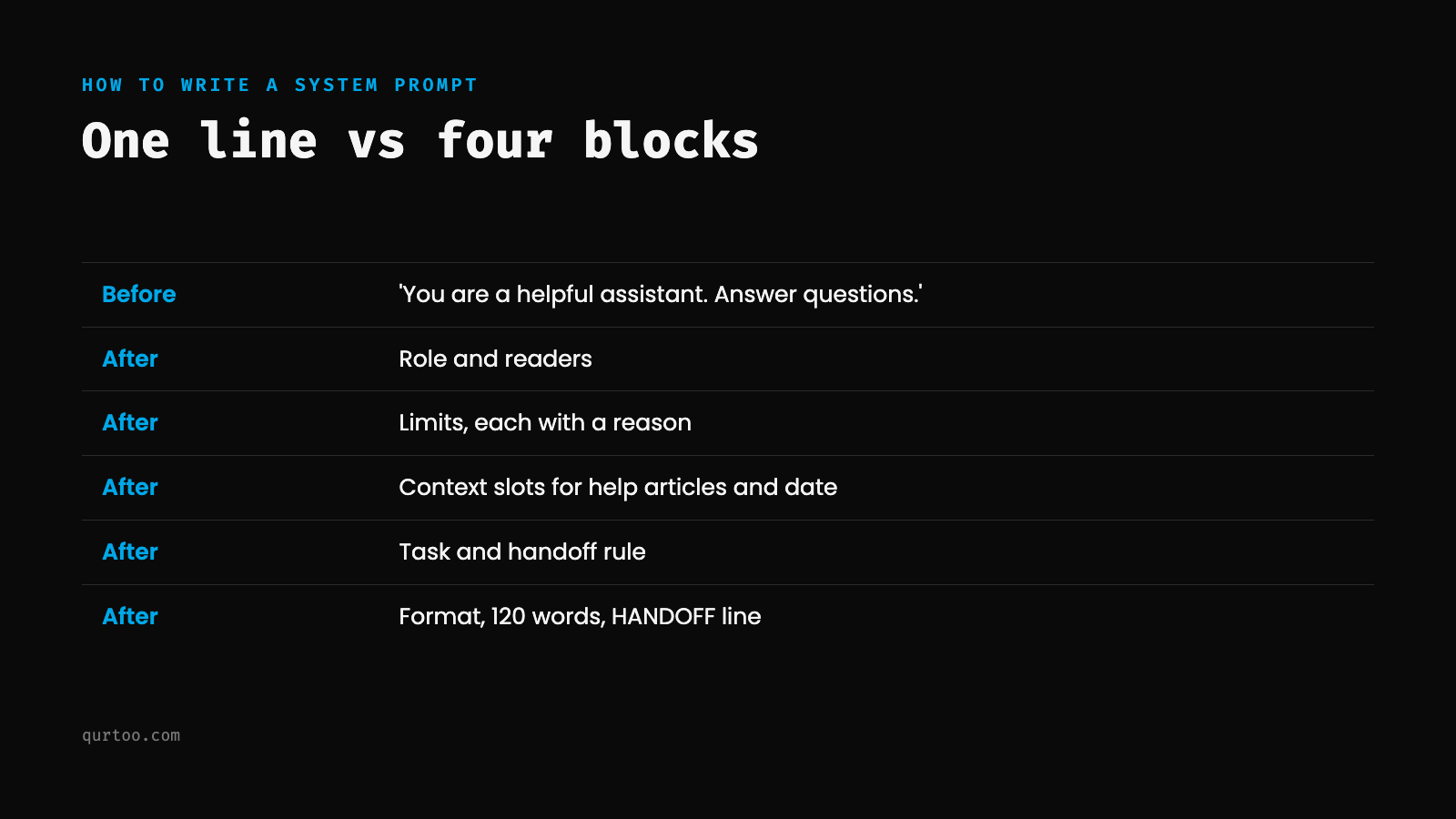
Here's how to write a system prompt for a real job: a weak one for a help desk assistant, and the same assistant rebuilt with the six steps. Both are our own example.
Example: how to write a system prompt for a support assistant
Before:
You are a helpful assistant for our invoicing app. Answer customer questions.
This gives the model a topic and nothing else. It doesn't know who it's talking to, what it can rely on, what it must never do or what a good answer looks like, so it will guess at all of them.
After:
<role>
You answer customer questions for the help desk of an invoicing app
used by small businesses. Your readers are business owners, not
accountants, so use short sentences and everyday words.
</role>

<limits>
- Answer only from the help articles in <context>. If they don't
  cover the question, say so and offer to pass it to a person.
  Customers act on what you say, so a guessed answer can cost them money.
- Don't give tax or legal advice. Suggest they ask their accountant,
  because the right answer depends on where they are.
- Never ask for or repeat a full card or bank account number.
  Those details belong on the secure billing page, not in chat.
</limits>

<context>
{help_articles}
Today's date: {date}
</context>

<task>
Answer the customer's message. If they report a bug, ask for the
steps they took and the invoice number, then hand off.
</task>

<format>
Reply in no more than 120 words. Start with the answer. If a help
article covers it, end with that article's title. If you hand off,
end with one line: HANDOFF: <one-line summary of the problem>.
</format>
Why this works: Each block does one job. The role names the readers, so the tone follows. Every limit carries its reason, which helps the model apply it to cases the rule didn't spell out. The {help_articles} and {date} slots keep the stable text first and the changing text in one place. The format block gives a length, a first line and a fixed HANDOFF marker that your code can detect. The fallback ("say so and offer to pass it to a person") gives the model a correct move when the articles run out.
To test it, follow Step 6: five real tickets, one question about something unrelated, one message asking it to reveal or drop its rules, and a check that every reply is under 120 words and ends the right way.
Where you put a system prompt
The same text can live in an API call or in a chat app's settings. Where it goes depends on who's using the assistant.
In the API
- OpenAI: pass it as the
instructionsparameter or as adevelopermessage (OpenAI, Text generation). - Anthropic: pass it in the
systemparameter of the Messages API, as the guide's role example shows (Anthropic, Prompting best practices). - Google: "pass a
system_instructionparameter to configure the model's behavior" (Google, Text generation).
In chat apps
Knowing how to write a system prompt helps even if you never touch code, because chat apps have their own system instructions. In ChatGPT, custom instructions are set under Settings, then Personalization (Customize ChatGPT on mobile), and "are applied immediately to all chats." They're available on all plans, with up to 1,500 characters on Free and Go and up to 5,000 on Plus, Pro, Business, Enterprise and Education (OpenAI Help, ChatGPT Custom Instructions). ChatGPT projects have their own instructions, which "apply only within that project and override your global custom instructions" (OpenAI Help, Projects in ChatGPT). In Claude, you open a project and choose "Set project instructions," and "Claude will use these instructions for all the chats within the project" (Claude Help, Projects).
Read the data terms before you type anything sensitive into those boxes. OpenAI's help page says information from custom instructions "will also be used to improve model performance," and links to how to opt out (OpenAI Help, ChatGPT Custom Instructions).
Four patterns the vendors' guides agree on
The vendors' guides differ on wording, and they agree on structure. These four patterns carry over to any model you use.
Pattern 1: The four-block layout
Identity and limits, context, task, output format, in that order, with delimiters between them. It's the layout from the steps above, and it's why the worked example reads cleanly. Our guide to XML tags as delimiters goes deeper on the tags themselves.
Pattern 2: Hard rules with reasons
Hard rules belong in a system prompt, and they work better with the reason attached. Here's one for a contract review assistant:
You are a contract review assistant for a legal team.

Rules:
- Never fabricate case citations. If you cannot find a relevant precedent,
  say so. Fabricated citations damage attorney credibility and can lead
  to sanctions.
- Never give jurisdiction-specific legal advice. You identify issues and
  flag risks. The attorney makes the legal judgment.
- When you're unsure what a clause means for the client, flag it as
  "NEEDS ATTORNEY REVIEW" instead of guessing.

Task: Review the contract below and list the clauses that put the client
at risk. For each, give the clause number, describe the risk in one or
two short sentences, and rate it LOW, MEDIUM or HIGH.

Output: a table with columns Clause | Risk | Severity | Recommendation.
Why this works: Each rule is clear and explained, and the "NEEDS ATTORNEY REVIEW" fallback gives the model a safe move at the edge of what it knows.
Don't put secrets in a system prompt
A system prompt can be read back out of a model, so write it as if a user might see it. The OWASP Top 10 for LLM Applications says "the system prompt should not be considered a secret, nor should it be used as a security control," and that "sensitive data such as credentials, connection strings, etc. should not be contained within the system prompt language" (OWASP, LLM07:2025 System Prompt Leakage). OWASP's prevention list includes keeping sensitive data out of system prompts and enforcing security controls outside the model.
In practice: keep API keys and passwords in your code or a secrets store, enforce permissions in your application, and treat the system prompt as instructions only. Our glossary covers prompt leaking and prompt injection, and LTFI explains how to contain prompt injection when AI agents can act.
Pattern 3: A persona with an audience
A strong persona block names the role, the voice, the audience and the limits together, so the model doesn't need tone reminders on every message.
You are a senior DevOps engineer writing a post-incident review. Your
audience is the engineering team, not management.

Voice: direct, blame-free, technically specific. Leave out executive
summaries and business impact framing, because that's a different document.

Separate contributing factors from root cause, note where monitoring gaps
delayed detection, and always include what went well.

Format: annotated timeline, then Contributing Factors, What Worked, and
Action Items with owners.
Why this works: The audience line ("not management") and the reasoned exclusion do the work of several scattered instructions. This is persona prompting with the audience attached; the guide to persona stacking covers layering more than one.
Pattern 4: Keep it short and calm
OpenAI's guide for GPT-5.5 says to "start with the smallest prompt that preserves the product contract," and warns that keeping the step-by-step process instructions older models needed "can add noise, narrow the model's search space, or lead to overly mechanical answers" (OpenAI, Using GPT-5.5). Shouting backfires too. Anthropic's guide says Claude Opus 4.5 and Opus 4.6 are more responsive to the system prompt than earlier models and can overtrigger on tools, so where you once wrote "CRITICAL: You MUST use this tool when...," you can use "more normal prompting such as 'Use this tool when...'" instead (Anthropic, Prompting best practices). The guide on stating every rule once shows how to cut a long prompt down.
Why one system prompt doesn't fit every model
The structure carries over; the exact wording often doesn't. A 2024 study tested the same content in plain text, Markdown, JSON and YAML templates and found GPT-3.5-turbo's performance "varies by up to 40% in a code translation task" depending on the template, while larger models such as GPT-4 were more robust (He et al., 2024). Keep the blocks and test the wording on each model you run.
I make the longer case for treating prompts as code, with version control and automated tests, in prompt engineering is infrastructure, not a party trick.
More system prompt guides on qurtoo
This page covers the basics of how to write a system prompt. These go deeper on one part each:
- The system prompt architecture for coding agents, for developers building agents
- Persona stacking in one system prompt
- State every rule once, on keeping system prompts short
- XML tags as delimiters
- GPT-5.5's seven-part prompt schema, on structuring prompts for reasoning models
- Format-native prompting, on XML vs Markdown for each model
Want hands-on help with system prompt design for your team? Talk with Kief Studio on Discord or book a session.
Frequently asked questions
What is a good example of how to write a system prompt?
The help desk example above is a full one: a role with its readers, limits with reasons, slots for help articles and the date, a task with a handoff rule, and a format with a word limit and a HANDOFF marker. Compare it with the one-line version to see what each block adds.
How do I write a system prompt step by step?
Write the role and limits, then the context and tools, then the task, then the output format. Add a fallback for questions it can't answer, and test it on real inputs, one off-topic message and one message asking it to drop its rules.
What's the best way to learn how to write a system prompt?
Start from the four blocks, give each hard rule a reason, keep it as short as the job allows and test it before you rely on it. Then read the vendor guides for the model you use, since the wording that works can differ by model.
Is a system prompt private?
No. OWASP's guidance is that a system prompt "should not be considered a secret, nor should it be used as a security control." Keep credentials out of it and enforce permissions in your application.
How long should a system prompt be?
As short as it can be while still producing the behavior you need. OpenAI's guide for GPT-5.5 says to "start with the smallest prompt that preserves the product contract." Test a shorter version against your current one on real inputs before you cut.
Should I write rules in capital letters, like NEVER or MUST?
Use them sparingly. Anthropic's guide says some Claude models are responsive enough to the system prompt that wording like "CRITICAL: You MUST use this tool" can make them overtrigger, and suggests "Use this tool when..." instead. A reason for the rule does more than capital letters.
What is the difference between a system prompt and a user prompt?
The system prompt holds standing instructions for the whole conversation, and the user prompt is the request for this turn. The section on system prompt vs user prompt above shows how each vendor's API separates them.
Can I reuse one system prompt across different models?
The structure carries over, and the details often don't. Prompt format alone can change results, especially on smaller models (He et al., 2024). Keep the four blocks, then test the wording on each model you run.
Terms in this article
From the library
- Build a Classification Prompt That Beats Fine-TuningPlaybook
- AI Agent Security Checklist: The Lethal TrifectaPlaybook
- Prompt Injection Test Suite for Production AgentsPlaybook
- The Instruction Hierarchy: Training LLMs to Prioritize Privileged InstructionsPaper
- Chain-of-Verification Reduces Hallucination in Large Language ModelsPaper
- Tree of Thoughts: Deliberate Problem Solving with Large Language ModelsPaper
Rather have someone set it up for you?
That's a fair call. LTFI, the agentic business operating system from Kief Studio, can set up the work these guides describe and run it with you. No website yet? Kief Studio will build you one for free.
 (opens in a new tab)

 (opens in a new tab)
